
Dynamic Actions
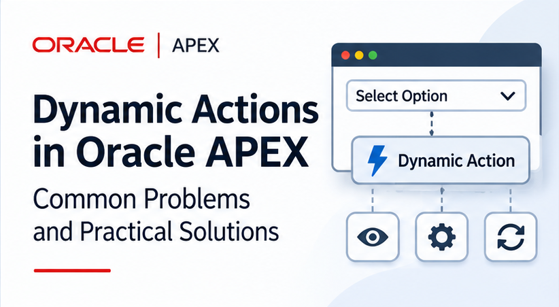
One of the reasons I like Oracle APEX is that we can build interactive applications without writing JavaScript for every small requirement. Dynamic Actions make this possible. Whether it is showing an item based on a selection, calculating an amount, refreshing a report or executing server-side PL/SQL, Dynamic Actions cover many everyday development requirements. However, they can also be confusing when something doesn't work as expected. I've noticed that some of the most common issues are not actually related to the Dynamic Action itself. They are related to session state, AJAX requests, execution order and how APEX handles page items. Here are a few scenarios worth understanding.
First, understand how a Dynamic Action works A Dynamic Action generally has three important parts: Event: When should something happen? Selection Type: Which page element should trigger it? True Action: What should happen after the event? For example, suppose a user selects a customer from a Select List and the application needs to display that customer's name. The configuration could look like this: PropertyConfigurationEventChangeSelection TypeItem(s)ItemP10_CUSTOMER_IDTrue ActionSet ValueSet TypeSQL StatementAffected ItemP10_CUSTOMER_NAME SQL: SELECT customer_name FROM customers WHERE customer_id = :P10_CUSTOMER_ID; This is a simple example, but it introduces an important concept: the browser and the database do not automatically share every change made to a page item.
Problem: Dynamic Action is executing with an old item value This is probably one of the most common problems when using server-side Dynamic Actions. Imagine the user changes the payment amount from 1,000 to 2,000. A Dynamic Action executes PL/SQL to calculate a discount, but the result is calculated using the previous amount. Why does this happen? The value displayed in the browser may not yet be available in the APEX database session state. When a Dynamic Action makes an AJAX request to execute PL/SQL, the relevant item values must be submitted. Solution: Configure Items to Submit Suppose the page item is: P10_PAYMENT_AMOUNT The Dynamic Action's Execute Server-side Code action should include: Items to Submit: P10_PAYMENT_AMOUNT PL/SQL: BEGIN
:P10_DISCOUNT_AMOUNT := NVL(:P10_PAYMENT_AMOUNT, 0) * 0.10;
END; Items to Return: P10_DISCOUNT_AMOUNT This ensures that the latest browser value is sent to the server and the returned value is displayed in the page item. The same concept applies to many AJAX-based operations in Oracle APEX. 3. Problem: Interactive Report is not showing the latest filter value Consider an invoice page where the user selects a customer and expects the Interactive Report to refresh. The report query is: SELECT invoice_number, invoice_date, invoice_amount, invoice_status FROM invoices WHERE customer_id = :P10_CUSTOMER_ID; You create a Dynamic Action on the customer item and configure the True Action as Refresh. But the report still displays records for the previous customer. The issue may be that the region refresh request is not submitting the latest item value. Solution Open the Interactive Report region and configure its Page Items to Submit property: P10_CUSTOMER_ID Then configure the Dynamic Action: PropertyValueEventChangeSelection TypeItem(s)ItemP10_CUSTOMER_IDTrue ActionRefreshAffected ElementsInvoice Report Now the selected customer value is submitted when the report refreshes. This is a small configuration detail, but it makes a big difference when debugging report behavior. 4. Problem: Dynamic Action works for one item but not another Suppose a Dynamic Action is configured on a page item and works correctly when the page loads. Later, the application dynamically creates or replaces an element, and the event no longer fires. This can happen when the original DOM element is replaced during a region refresh. For dynamically generated elements, check the Event Scope setting. Depending on the component, you may need to use a Dynamic Action with a delegated event scope such as Dynamic. Also verify the jQuery selector and whether the expected element exists after the region refresh. Avoid assuming that an element that existed when the page initially loaded will always remain in the DOM. 5. Problem: JavaScript changes are not reflected in the page item Consider a requirement to calculate tax whenever the user changes an invoice amount. You can use JavaScript in a Dynamic Action. var amount = Number(apex.item("P10_AMOUNT").getValue()) || 0;
var tax = amount * 0.18;
apex.item("P10_TAX_AMOUNT").setValue( tax.toFixed(2) ); This updates the browser-side page item. However, it does not automatically mean that the new value has been submitted to the database session state. If a subsequent server-side process needs the calculated value, include the item in the appropriate Items to Submit configuration. Also, JavaScript calculations should not replace server-side business validations for financial amounts. 6. Problem: Multiple Dynamic Actions are executing unexpectedly Imagine an invoice page with these requirements: Calculate tax when the amount changes. Calculate the total after tax. Enable the Submit button when the total is valid. You could create separate Dynamic Actions for every operation. That works, but problems can arise when actions depend on one another and execute in an unexpected order. For example, the total calculation might run before the tax item has been updated. A cleaner approach is to organize dependent logic carefully. For more complex client-side calculations, use a reusable JavaScript function: function calculateInvoiceTotal() {
var amount =
    Number(apex.item("P10_AMOUNT").getValue()) || 0;

var tax =
    Number(apex.item("P10_TAX").getValue()) || 0;

var total = amount + tax;

apex.item("P10_TOTAL").setValue(
    total.toFixed(2)
);
} Then call this function from the appropriate Dynamic Action. When execution order matters, review the action sequence and whether actions should wait for previous asynchronous actions to finish. 7. Problem: Clearing dependent fields when a user changes a selection Consider a payment form that supports Credit Card and ACH. When the user selects Credit Card, card-related fields should appear. When the user selects ACH, the card-related fields should disappear and their previous values should not remain available. This can be handled using Dynamic Actions. Example configuration: Event: Change Item: P10_PAYMENT_METHOD True Action: Execute JavaScript Code var paymentMethod = apex.item("P10_PAYMENT_METHOD").getValue();
if (paymentMethod === "ACH") {
apex.item("P10_CARD_NUMBER").setValue("");

apex.item("P10_CARD_EXPIRY").setValue("");

apex.item("P10_CARD_CVV").setValue("");
} You can combine this with Show and Hide actions for the relevant regions. For real payment applications, use payment gateway tokenization. Do not store card verification values or treat hiding a field as a security measure. 8. When should you use an AJAX Callback instead? Dynamic Actions are convenient, but not every server-side requirement needs to be implemented directly inside an Execute Server-side Code action. For reusable or more complex operations, an AJAX Callback is worth considering. For example, suppose the application needs to retrieve customer details based on a customer ID. Create an AJAX Callback process called: GET_CUSTOMER_DETAILS Example PL/SQL: DECLARE l_customer_name VARCHAR2(500); BEGIN
SELECT customer_name
INTO l_customer_name
FROM customers
WHERE customer_id = :P10_CUSTOMER_ID;

apex_json.open_object;

apex_json.write(
    'customer_name',
    l_customer_name
);

apex_json.close_object;
EXCEPTION WHEN NO_DATA_FOUND THEN
    apex_json.open_object;

    apex_json.write(
        'customer_name',
        NULL
    );

    apex_json.close_object;
END; Now call it from JavaScript: apex.server.process( "GET_CUSTOMER_DETAILS", { pageItems: "#P10_CUSTOMER_ID" }, { dataType: "json",
    success: function(data) {

        apex.item("P10_CUSTOMER_NAME")
            .setValue(data.customer_name);

    },

    error: function(jqXHR, textStatus, errorThrown) {

        console.error(
            "Customer lookup failed:",
            textStatus,
            errorThrown
        );

    }
}
); The important detail here is that the AJAX Callback explicitly generates JSON using APEX_JSON. A normal PL/SQL process does not automatically return a JSON object. 9. How I decide between Dynamic Actions, JavaScript and AJAX There is no need to write JavaScript for every interaction, but there is also no reason to force every requirement into Dynamic Actions. I generally use the following approach: RequirementPreferred approachShow or hide an itemDynamic ActionEnable or disable a buttonDynamic ActionClear an itemDynamic ActionSimple item calculationDynamic Action or JavaScriptComplex client-side calculationJavaScriptExecute a short PL/SQL blockExecute Server-side CodeReusable server-side operationAJAX CallbackRefresh a reportDynamic ActionFinancial validationServer-side PL/SQL The choice depends on the complexity of the requirement and whether the logic needs to run in the browser or on the database. 10. Debugging Dynamic Actions When a Dynamic Action does not behave as expected, I usually check these areas: Browser Developer Tools Open the Console and look for JavaScript errors. Network Tab Check whether the AJAX request is being sent and whether the response contains an error. APEX Debug Useful for understanding server-side processing. Page Item Configuration Verify the item name, source, session state and protection settings. Dynamic Action Configuration Review the event, selection type, action sequence, Items to Submit and Items to Return. A small configuration mistake can make an otherwise correct implementation appear broken. 11. A checklist before completing Dynamic Action development Confirm the correct event is selected. Verify the triggering item or selector. Configure Items to Submit for server-side operations. Configure Items to Return when returning values. Verify report region Page Items to Submit. Check action execution order. Test after refreshing dynamic regions. Check browser Console and Network errors. Test with empty and invalid inputs. Keep critical business validations on the server.
Final thoughts Dynamic Actions are one of the most useful features in Oracle APEX, especially when building forms, payment pages and data-entry applications. But understanding how APEX communicates between browser-side values and database session state is what makes troubleshooting much easier.
About the author
- I am an Oracle APEX Developer with 2+ years of experience in building interactive, user-friendly, and scalable web applications. I work primarily with Oracle APEX, SQL, and PL/SQL, along with HTML and CSS to create responsive and efficient application interfaces. I enjoy solving business problems through technology and continuously learning new features and best practices in the Oracle ecosystem.
Comments
Join the discussionNo comments yet. Be the first to comment.