
Oracle APEX GraphQL Integration
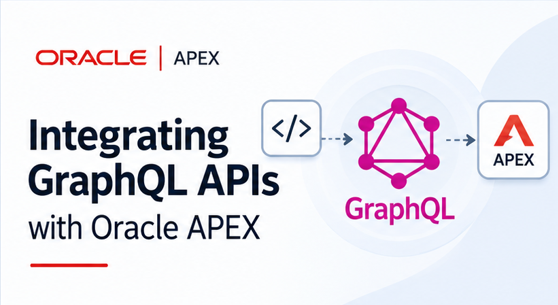
APEX provides several ways to consume external services.But not every application needs a REST API. Some platforms use GraphQL to provide access for their data.
A specialty of GraphQL is that the user can specify which fields it needs instead of receiving a predefined response containing multiple attributes.
We can use the existing HTTP capabilities provided by APEX_WEB_SERVICE with Oracle's JSON functions.
Let's start with a basic GraphQL request and error handling.
1. REST API vs GraphQL:
With a traditional REST API, different resources are generally exposed through separate endpoints.
For example:
/api/customers /api/invoices /api/payments
Each endpoint returns a predefined response.
GraphQL works differently. Rather than calling multiple endpoints, the client sends requests to a common endpoint.
For example:
https://api.example.com/graphql
The request contains a query describing the information required.
GraphQL query:
query {
    transactions {
        id
        amount
        status
        createdAt
    }
}
The API returns the requested fields.
This is useful when an external application exposes large objects, but the APEX application only needs a few specific attributes.
2. Understand the GraphQL Request Structure
A typical GraphQL request contains:
Endpoint URL
GraphQL query
Variables(options)
Authentication details
HTTP request headers
The request is generally sent as a JSON payload.
{
  "query": "query {
    transactions {
      id
      amount
      status
    }
  }"
}
successful response will look like
{
  "data": {
    "transactions": [
      {
        "id": "TXN1001",
        "amount": "250.00",
        "status": "SETTLED"
      },
      {
        "id": "TXN1002",
        "amount": "500.00",
        "status": "PENDING"
      }
    ]
  }
}
3. Configure the API Connection in Oracle APEX
Before implementing the PL/SQL process, collect the connection details from the external application's API documentation.
You will need:
| Configuration | Description |
|---|---|
| Endpoint URL | GraphQL API endpoint |
| Authentication | API key, OAuth, or Bearer token |
| Credentials | API username, password, or access token |
| Request Headers | Content-Type and Authorization |
| Query | GraphQL operation |
| Expected Response | JSON structure |
Web Credentials.
This avoids keeping access tokens or API secrets directly inside page processes.
4.Send a GraphQL Request Using APEX_WEB_SERVICE:
Oracle APEX provides the APEX_WEB_SERVICE package to communicate with external HTTP services.
Let's start with a simple example:
DECLARE
    l_endpoint VARCHAR2(1000);
    l_request  CLOB;
    l_response CLOB;
BEGIN
    l_endpoint := 'https://api.example.com/graphql';


    SELECT JSON_OBJECT(
               'query' VALUE
               'query {
                   transactions {
                       id
                       amount
                       status
                   }
               }'
               RETURNING CLOB
           )
      INTO l_request
      FROM dual;


    APEX_WEB_SERVICE.G_REQUEST_HEADERS.DELETE;

    APEX_WEB_SERVICE.G_REQUEST_HEADERS(1).NAME :=
        'Content-Type';

    APEX_WEB_SERVICE.G_REQUEST_HEADERS(1).VALUE :=
        'application/json';


    l_response := APEX_WEB_SERVICE.MAKE_REST_REQUEST(
        p_url         => l_endpoint,
        p_http_method => 'POST',
        p_body        => l_request
    );


    DBMS_OUTPUT.PUT_LINE(
        'HTTP Status: ' || APEX_WEB_SERVICE.G_STATUS_CODE
    );

    DBMS_OUTPUT.PUT_LINE(
        DBMS_LOB.SUBSTR(l_response, 4000, 1)
    );

END;
basic request flow for example:
Define the GraphQL endpoint.
Construct the request body using JSON_OBJECT.
Set the Content-Type header.
Send the request using MAKE_REST_REQUEST.
Capture the JSON response.
For production integrations, configure the required Web Credential and pass its Static ID through the p_credential_static_id parameter of MAKE_REST_REQUEST.
l_response := APEX_WEB_SERVICE.MAKE_REST_REQUEST(
    p_url                  => l_endpoint,
    p_http_method          => 'POST',
    p_body                 => l_request,
    p_credential_static_id => 'GRAPHQL_API_CREDENTIAL'
);
5. Avoid Manually Constructing Complex JSON
When working with larger GraphQL queries, manually building JSON strings can become difficult to maintain. Instead of concatenating multiple strings, use Oracle's JSON generation functions.
SELECT JSON_OBJECT(
           'query' VALUE
           q'~
               query {
                   transactions {
                       id
                       amount
                       status
                   }
               }
           ~'
           RETURNING CLOB
       )
INTO l_request
FROM dual;
The JSON_OBJECT function takes care of generating the JSON structure.
6. Use GraphQL Variables for Dynamic Values
We can construct a separate query for every transaction, but that will make the implementation complicated. GraphQL supports variables, allowing us to keep the query structure separate from the input values.
GraphQL query:
query GetTransaction($id: ID!) {
    transaction(id: $id) {
        id
        amount
        status
    }
}
The corresponding JSON request would look like this:
{
  "query": "query GetTransaction($id: ID!) {
    transaction(id: $id) {
      id
      amount
      status
    }
  }",
  "variables": {
    "id": "TXN1001"
  }
}
We can generate the request using JSON_OBJECT:
SELECT JSON_OBJECT(
           'query' VALUE
           q'~
               query GetTransaction($id: ID!) {
                   transaction(id: $id) {
                       id
                       amount
                       status
                   }
               }
           ~',

           'variables' VALUE
           JSON_OBJECT(
               'id' VALUE :P10_TRANSACTION_ID
               RETURNING CLOB
           ) FORMAT JSON

           RETURNING CLOB
       )
INTO l_request
FROM dual;
7. Parse GraphQL Responses Using JSON_TABLE
We also need to convert the returned JSON into relational data. Oracle provides the JSON_TABLE function for this purpose.
Consider following response:
{
  "data": {
    "transactions": [
      {
        "id": "TXN1001",
        "amount": "250.00",
        "status": "SETTLED"
      },
      {
        "id": "TXN1002",
        "amount": "500.00",
        "status": "PENDING"
      }
    ]
  }
}
We can extract the transaction details using:
SELECT
    jt.transaction_id,
    jt.amount,
    jt.status
FROM JSON_TABLE(
    :P10_API_RESPONSE,
    '$.data.transactions[*]'
    COLUMNS (
        transaction_id VARCHAR2(100)
            PATH '$.id',

        amount NUMBER
            PATH '$.amount',

        status VARCHAR2(50)
            PATH '$.status'
    )
) jt;
We can use this query as the source for an Interactive Report, Interactive Grid, or a database staging process.
8. Handle GraphQL Errors Properly
There is one difference between checking an ordinary HTTP response and validating a GraphQL response. A GraphQL API can return HTTP 200 even when the requested operation contains application-level errors.
For example:
{
  "data": null,
  "errors": [
    {
      "message": "Customer not found"
    }
  ]
}
From an HTTP point, the request was successfully received and processed by the server. But the requested operation did not return the expected data.
If we check only the HTTP status code, our application might treat this request as successful.
For this reason, check the following:
HTTP status code.
Presence of the errors array.
Presence of the data object.
Missing or null response fields.
To retrieve the first GraphQL error message, we can use:
SELECT JSON_VALUE(
           l_response,
           '$.errors[0].message'
       )
INTO l_error_message
FROM dual;
9. Store GraphQL Results in Staging Tables
For integrations involving payment reconciliation, refunds, storing the API response in a staging table before processing it is a useful approach.
Sample response:
{
  "data": {
    "transactions": [
      {
        "id": "TXN1001",
        "amount": "250.00",
        "status": "SETTLED"
      },
      {
        "id": "TXN1002",
        "amount": "500.00",
        "status": "PENDING"
      }
    ]
  }
}
PL/SQL implementation
We can use JSON_TABLE to extract the transaction details and insert them into the staging table.
DECLARE
    l_response CLOB;
BEGIN

    l_response := '{
      "data": {
        "transactions": [
          {
            "id": "TXN1001",
            "amount": "250.00",
            "status": "SETTLED"
          },
          {
            "id": "TXN1002",
            "amount": "500.00",
            "status": "PENDING"
          }
        ]
      }
    }';


    INSERT INTO graphql_transaction_stg (
        transaction_id,
        transaction_amount,
        transaction_status,
        created_date
    )
    SELECT
        jt.transaction_id,
        jt.transaction_amount,
        jt.transaction_status,
        SYSDATE
    FROM JSON_TABLE(
        l_response,
        '$.data.transactions[*]'
        COLUMNS (
            transaction_id VARCHAR2(100)
                PATH '$.id',

            transaction_amount NUMBER
                PATH '$.amount',

            transaction_status VARCHAR2(50)
                PATH '$.status'
        )
    ) jt;

    COMMIT;

    DBMS_OUTPUT.PUT_LINE(
        SQL%ROWCOUNT || ' records inserted successfully.'
    );

EXCEPTION
    WHEN OTHERS THEN
        ROLLBACK;
        RAISE;
END;
Explanation:
The API response is stored in the l_response CLOB variable.
JSON_TABLE reads the transaction array from the JSON response.
Each transaction is converted into a relational row.
The INSERT INTO SELECT statement inserts the extracted records into the staging table.
The transaction is committed after successful processing.
Final Thoughts
Integrating GraphQL APIs with Oracle APEX is not complicated. Once we understand how GraphQL requests and responses are structured, the existing HTTP and JSON capabilities in Oracle APEX are useful for building these integrations.
We can use APEX_WEB_SERVICE to send requests, JSON_OBJECT to construct request payloads, and JSON_TABLE to convert API responses into relational data.
About the author
- I am an Oracle APEX Developer with 2+ years of experience in building interactive, user-friendly, and scalable web applications. I work primarily with Oracle APEX, SQL, and PL/SQL, along with HTML and CSS to create responsive and efficient application interfaces. I enjoy solving business problems through technology and continuously learning new features and best practices in the Oracle ecosystem.
Comments
Join the discussionNo comments yet. Be the first to comment.