
Oracle APEX Reports Performance
A report that works fine with a few hundred records may take longer when the table rows increase to thousand. This article covers solutions when an Interactive Grid starts responding slowly.
Page takes long time to open. The initial report load quickly, but applying a filter takes several seconds. May be sorting the problem. These things can have completely different cause.
For example:
Slow initial loading may indicate a heavy SQL query.
Filtering can be because of inefficient execution plans.
Delay sorting may involve large intermediate result sets.
Enable APEX Debug and examine the page execution details.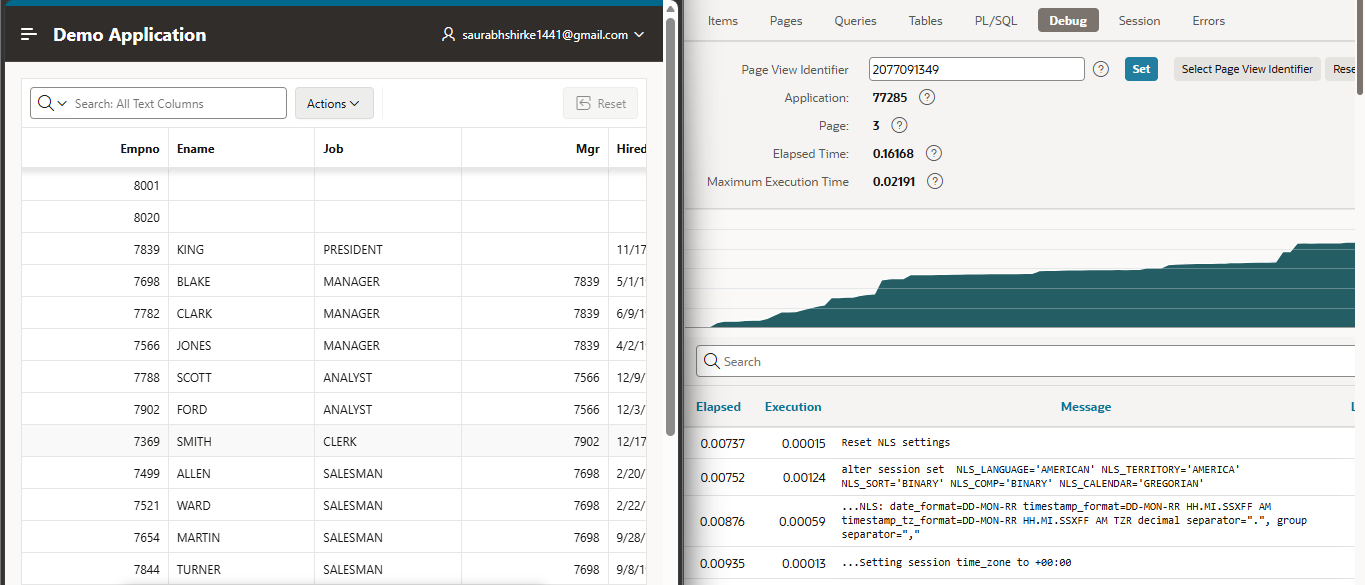
Avoid selecting all columns in report:
A report that displays only invoice number, customer name, invoice date and amount. There is no reason to retrieve every column from the table.
Don't use: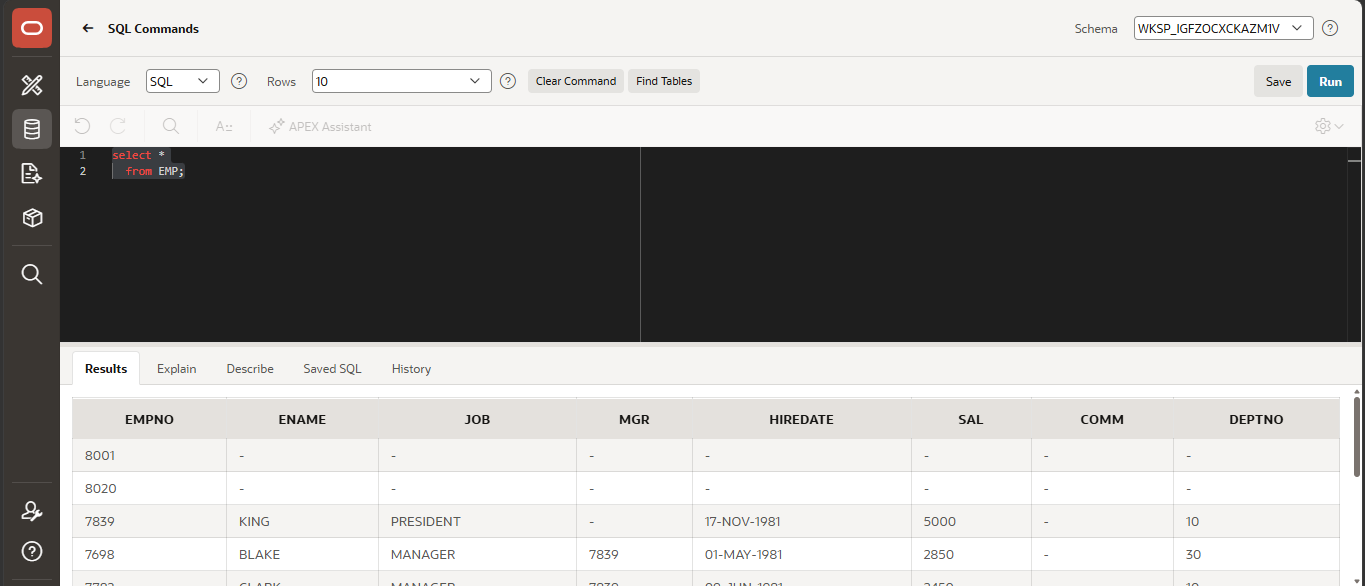
Use: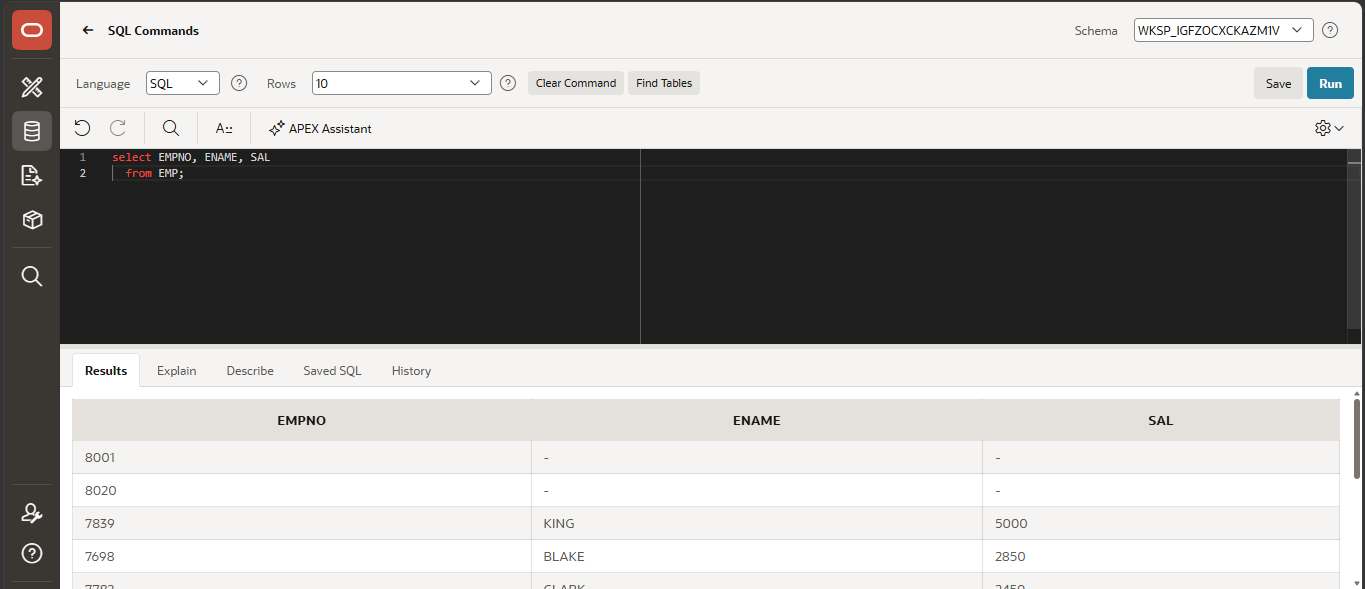
This is useful when tables contain large VARCHAR2 columns, CLOBs or other data that is not required by the report.Use WHERE conditions smartly:
This can make a big difference.
For example, imagine running below SQL for 1 million records.SELECT order_id, customer_id, order_date FROM orders WHERE TO_CHAR(order_date, 'YYYY-MM') = '2026-11';
The database must convert all 1 million dates into text strings before checking if they match '2026-11'.
By rewriting the condition as a date range, you kept order_date aside:SELECT order_id, customer_id, order_date FROM orders WHERE order_date >= DATE '2026-11-01' AND order_date < DATE '2026-12-01';Create indexes based on report usage:
Adding indexes without understanding the query can create unnecessary database overhead. If users frequently search invoice records using CUSTOMER_ID and INVOICE_STATUS.
A composite index will be more useful:CREATE INDEX idx_inv_customer_status ON invoice_headers ( customer_id, invoice_status );
Before creating an index:
Check existing indexes.
Columns used in joins.
Frequently used filter conditions.
Execution plan.
An index can improve report retrieval.Look out for PL/SQL functions inside report queries:
If an Interactive Grid uses the following SQL:SELECT invoice_id, invoice_number, get_customer_balance(customer_id) AS balance FROM invoice_headers;
If GET_CUSTOMER_BALANCE performs additional SQL queries, the report can become slow as the number of rows increases. Another option to get data is using join .
For example:SELECT i.invoice_id, i.invoice_number, c.customer_name FROM invoice_headers i JOIN customers c ON c.customer_id = i.customer_id;
The solution is not to eliminate PL/SQL function but to avoid unnecessary database work.Understand pagination:
Interactive Grid supports pagination, which helps users when work with large datasets. Increasing the number of rows displayed on a page need not make the report faster. It can increase the amount of data transferred and shown in the browser. Choose a page size that makes sense for the user requirement. Also remember that pagination does not automatically fix a heavy SQL query.Review joins and subqueries:
Sometimes a report becomes slow because user requirements keep getting added to the SQL. A query that used two tables might eventually contain six joins, multiple subqueries.
You can check following things:
Is this table actually required?
Can this be handled with an existing join?
The subquery doing repeated work?
Whether the report retrieving duplicate rows?Watch out for optional page filters:
An APEX report condition looks like this:SELECT invoice_id, invoice_number, customer_id, invoice_status FROM invoice_headers WHERE ( :P10_CUSTOMER_ID IS NULL OR customer_id = :P10_CUSTOMER_ID );
This is useful because the same query works with or without a customer selection. However, optional filters can result in less efficient execution plans, particularly when different filter combinations have very different selectivity.
For complex reports:
Test the query with different filter combinations.
Continue using bind variables rather than concatenating user input into SQL.Use the tools to investigate performance:
Useful tools for testing:
Oracle APEX Debug Useful for understanding page processing and identifying slow components.
SQL Developer execution plan Helps identify full table scans, joins, sorts and other expensive operations. DBMS_XPLAN
For example:SELECT * FROM TABLE( DBMS_XPLAN.DISPLAY );
Final thoughts:
A slow Interactive Grid is not always a database indexing problem. Sometimes the SQL can be inefficient, sometimes the report is retrieving unnecessary data, and sometimes the delay happens entirely in the browser.
The important thing is to identify the actual issue before changing the application.
About the author
- I am an Oracle APEX Developer with 2+ years of experience in building interactive, user-friendly, and scalable web applications. I work primarily with Oracle APEX, SQL, and PL/SQL, along with HTML and CSS to create responsive and efficient application interfaces. I enjoy solving business problems through technology and continuously learning new features and best practices in the Oracle ecosystem.
Comments
Join the discussionNo comments yet. Be the first to comment.